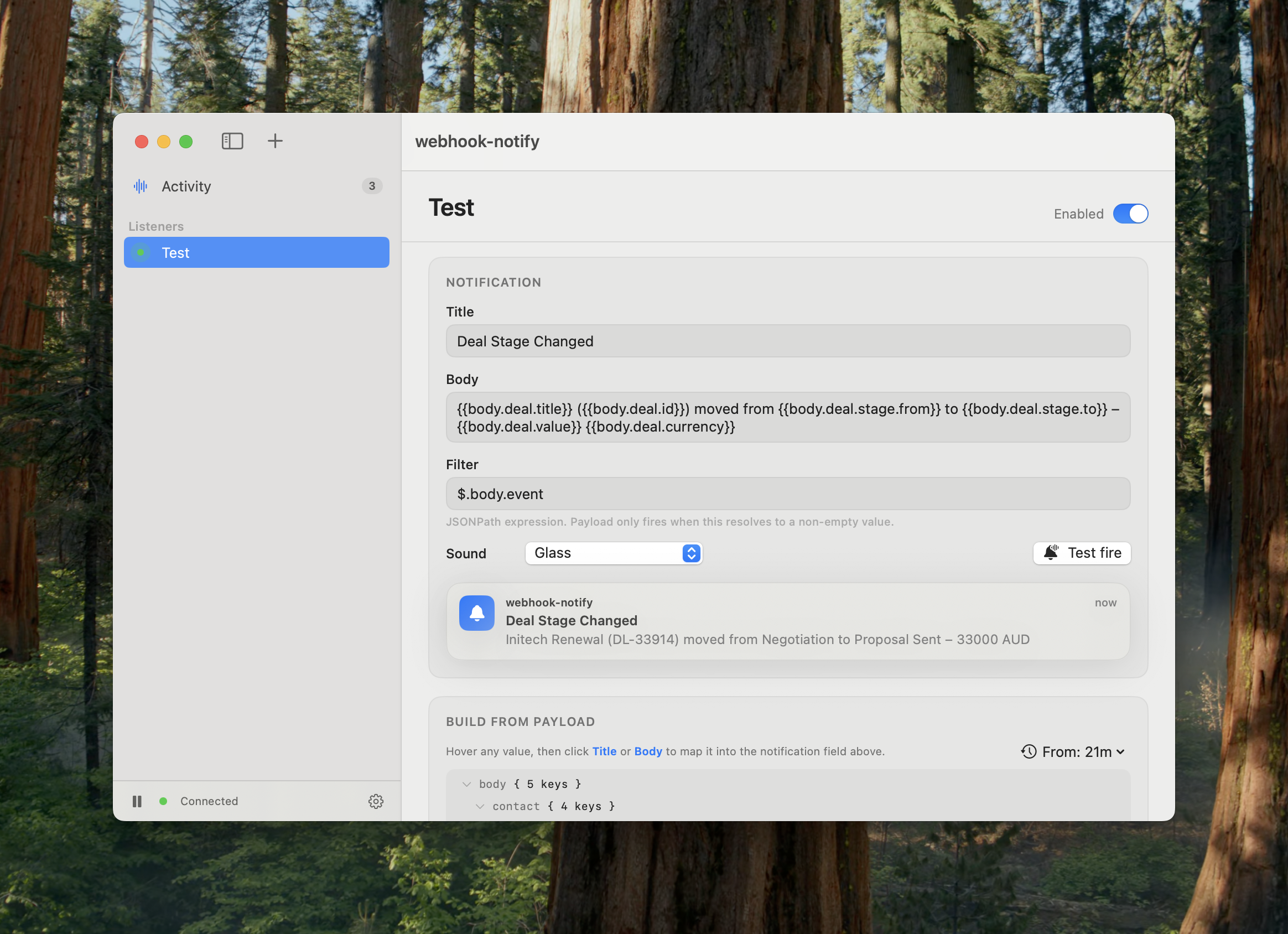
webhook-notify turns inbound webhooks into native macOS notifications. You get a stable public URL to point any webhook at, and each request that arrives pops up as a clean Mac notification — formatted exactly how you want, with per-listener rules for the title and body.
It’s the missing piece between “some service fires a webhook” and “I actually see it on my
Mac” — no browser tab to babysit, no Slack channel to mute, no curl loop. Just a hosted
receiver and a lightweight menu-bar app.
Requires macOS 14+. Universal binary (Apple Silicon and Intel). Signed & notarized; auto-updates itself.
How to turn a webhook into a Mac notification
- Create a listener in the app — you get a unique
https://hooks.flitsy.app/hook/<token>URL. - Paste that URL into any webhook source — GitHub, Stripe, Shopify, your CI/CD pipeline, Zapier, Make, or your own application.
- Every request that hits the URL appears as a native macOS notification, formatted by your rules.
That’s it. No server to run yourself, no polling scripts, no third-party push service in the middle.
Works with anything that sends a webhook
GitHub pushes and pull requests, Stripe payments, Shopify orders, CI/CD build results, deploy hooks, uptime monitors, form submissions, RevenueCat events, or HTTP requests from your own code. If it can POST to a URL, webhook-notify can notify you about it.
Features
- Per-listener templates — Mustache title/body with dot-paths into the payload
(
{{body.repository.full_name}}), so each notification says exactly what matters instead of dumping raw JSON. - AI-assisted setup — press ✨, paste a sample payload, and it drafts the title, body, and filter for you.
- Filters — optional JSONPath so a listener only fires on payloads you care about
(e.g. only
$.body.action == "opened"). - Native menu-bar app — lives quietly in the menu bar, fires real macOS notifications, and keeps a recent-activity feed of everything that came in.
- Self-updating — signed, notarized, and updates itself in the background via Sparkle.
Why not just use webhook.site + Pushover?
That stack works, but it’s two services, a relay hop, and a browser tab you have to keep open. webhook-notify collapses it into one signed Mac app: your webhook lands directly as a native notification, with parsing rules attached to each listener, and nothing rendered anywhere except on your own machine.
Pricing
Free 3-day trial, then $2/month (or $24/year). Sign in once and your trial and subscription are handled for you.
FAQ
How do I get a desktop notification when a webhook fires? Create a listener in webhook-notify, point your webhook source at the listener URL, and the app shows a native macOS notification for every inbound request.
Does it work with GitHub, Stripe, and Shopify webhooks? Yes. Any service that lets you configure a webhook URL works — GitHub, Stripe, Shopify, CI/CD systems, Zapier, Make, and custom apps included.
Do I need to run my own server? No. The receiver is hosted, so you only install the Mac app. (The receiver is self-hostable if you’d rather run the whole thing yourself.)
Does it need a browser tab open to catch webhooks? No. The hosted receiver captures every request even when your Mac is asleep, and the menu-bar app delivers them the next time it checks in.
Is it a native Mac app? Yes — a real SwiftUI menu-bar app, signed and notarized by Apple, with built-in auto-updates. Not an Electron wrapper or a web page.
Privacy
Notifications are rendered on your Mac. Inbound payloads are retained on the receiver only briefly (default 14 days) so the app can pick them up. Don’t point highly sensitive sources at it without considering that retention window.
Full detail: Privacy Policy · Terms of Use · Support